Know what every mile actually pays.
MileGauge™ gives you a live $/hour as you drive, counts every mile you actually put on the car — not the platform's estimate — and turns each shift into honest earnings analytics and a bigger mileage tax deduction.
Closed beta — limited spots. Request access and we'll invite you.
Tracks every platform you drive
Independent app — not affiliated with or endorsed by these companies.
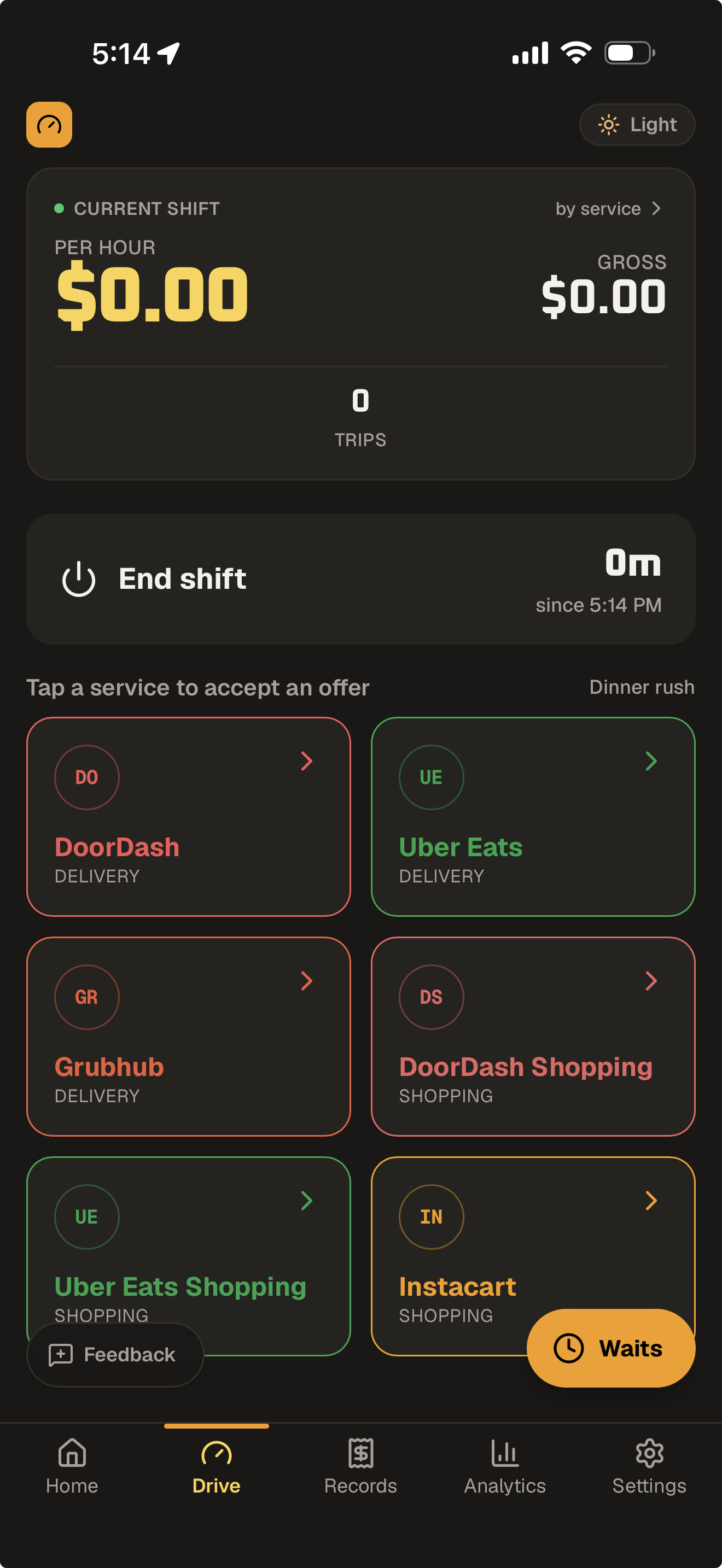
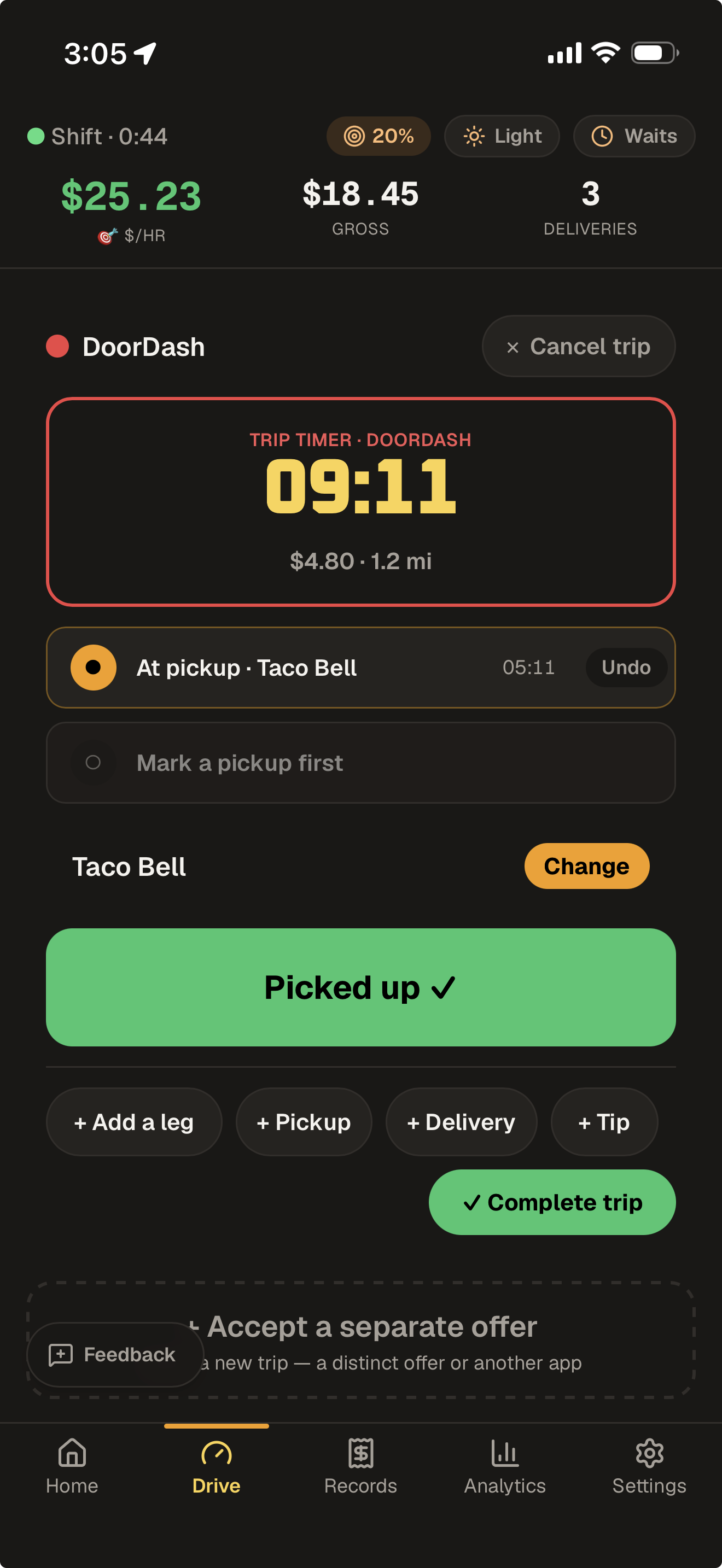
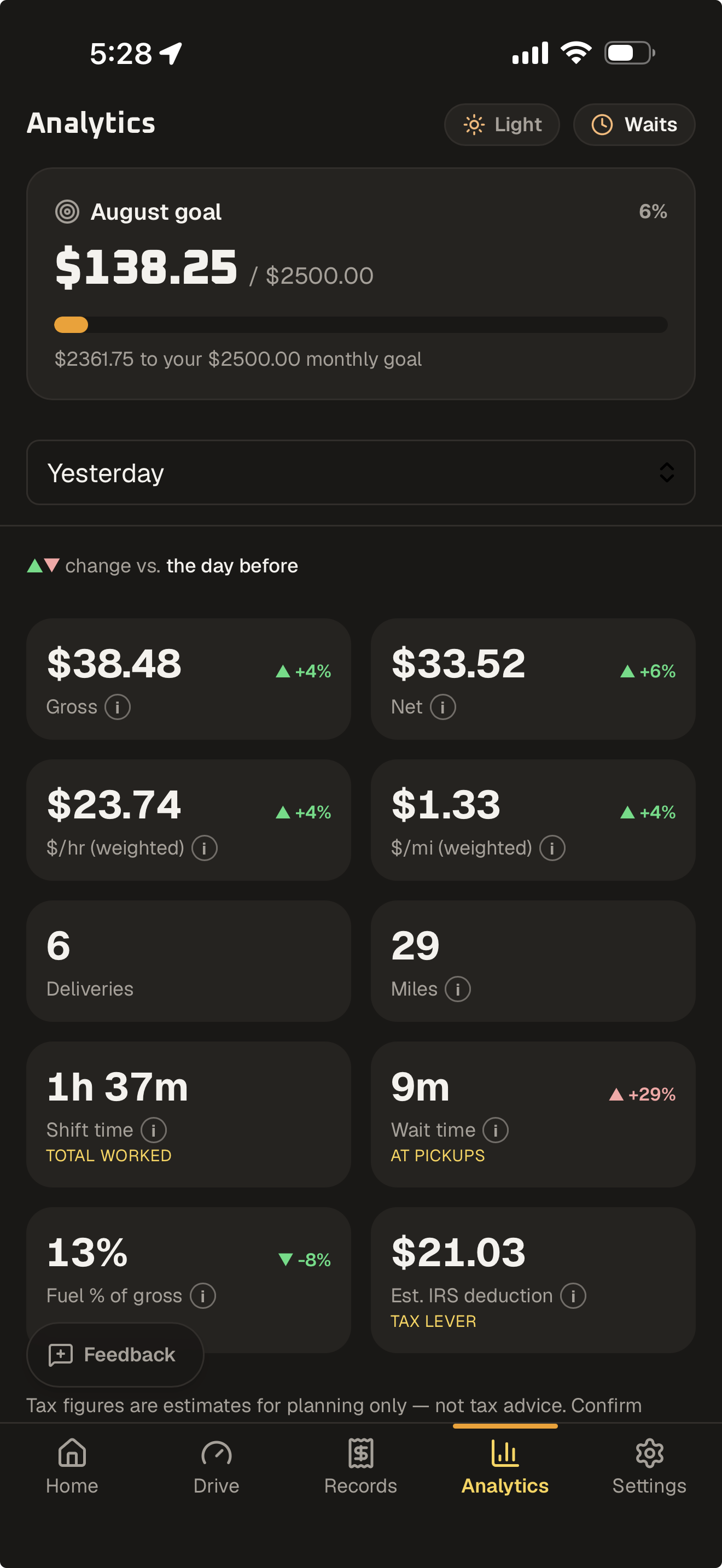
See it on a real shift
High-contrast and glanceable — dark or light — built to read on a dash mount.
Built for the dashboard mount
Glanceable while you drive. Deep when you sit down to do the numbers. Works offline and syncs across your phone, tablet, and computer.
Live earnings cluster
Your $/hour ticks live like an instrument cluster — huge, high-contrast, night-safe. $/mile and net land the moment you close out the shift.
Shift route map
After you close out a shift, replay it on a map — every stop plotted — so you can see exactly where your miles and your time actually went.
Weak-offer flags
Set your $/mile floor and MileGauge flags offers that don't clear it — right at the moment you're deciding whether to accept. You always tap; it never auto-declines.
Community wait times
See which merchants are slow right now — crowd-sourced from drivers near you — before you accept. The slow-merchant data no other app keeps.
Every mile, not the estimate
Platforms lowball miles with straight-line estimates. MileGauge's GPS logs the miles you actually drove — automatically, detours and all — for your true $/mile on every offer, so you learn which orders and platforms really pay.
Desktop dashboard
Sit down after your shift and do the numbers on a real screen — your full earnings, $/mile, and IRS-deduction breakdown in the browser, not squinting at a phone.
Pro marks the paid automation layer — everything is open free during the closed beta.
Two screens, one shift
Turn a spare tablet into your dash control panel
Your phone handles the GPS and tracking from your mount or pocket. A Wi-Fi tablet at your side — no SIM, no second data plan — mirrors the same shift within seconds: live $/hr, your next-offer call, and nearby wait times, all at eye level. Sign in on both and MileGauge keeps them in sync.
Three taps, then just drive
Accept the offer
One tap on the platform tile logs an incoming offer.
Enter the offer
Punch in the payout, miles, and stops — pickups and drop-offs — on the big number pad. MileGauge instantly flags any offer under your $/mile goal.
Track pickup → delivery
Tap arrived, picked up, delivered as you go. MileGauge times each stop, capturing wait times and pay automatically.
The bridge is out. You still drove it.
The app routes you a tidy 2.0 miles across a bridge that's been closed for months. You loop 7.0 miles around the river instead — and the platform pays (and reports) as if you drove 2. Log your odometer at each end of the shift and MileGauge counts the real miles you actually drove — free, on every plan — so your $/mile and your tax deduction reflect the road, not the platform's tidy estimate.
Platform says
2.0
miles
You actually drove
7.0
miles
+5.0 mi of real deduction the platform never credited
Free tracks the work. Pro automates it.
The whole tracker — and the community wait map you help build — is free. Pro adds the automation serious drivers pay to save time on.
Free
Everything you need to track the work
- Track shifts, deliveries & earnings
- Log waits + see community wait times
- Mileage — manual odometer
- Live $/hr and route map
- Unlimited history + export
Pro
Everything in Free, plus the automation
- Automatic GPS mileage
- Tax-ready mileage records
- Advanced analytics + desktop dashboard
- Advanced exports
- Weekly, monthly & hourly goals
Free during the beta — launch pricing is still being finalized. Early drivers lock a founding rate for life.
Request beta accessStop guessing what you made.
Join drivers who know their real numbers down to the mile.
Request beta access